Worker Access Included

Safety, Instantly Understood.

Capture. Analyze. Act.

No Credit Card Guided Setup Built for Real Work Security & Privacy Controls

Explore the Full Platform

Explore modules, workflows, and configurable visibility.
TASC VISION
TASC Vision 7.7 CRITICAL
7.7
CRITICAL
The scene shows a high-risk paving operation where ground workers are in immediate proximity to a heavy CAT roller. While basic PPE like hard hats and hi-vis clothing are used, the lack of an exclusion zone and missing eye protection present significant safety gaps.
3 energies
4 persons
2 equipment
Annotated Photo
Hazard Zones Controls Gaps
Urban paving operation — CAT CB16 roller with 3 ground workers
Struck-by Hazard
NO CONTROL
PPE — Missing Goggles
CAT CB16 Roller
Thermal 5/10
Struck by 9/10
Person Equipment Hazard/Energy Control (adequate)
Energy Identification & Scores
2 assessed
Energy Type
MAG
EXP
PROB
Score
↻ Motion
Heavy equipment operating within inches of ground workers; high potential for struck-by or crush incidents.
8
9
6
7.7
Thermal
Direct contact with hot asphalt can cause significant burns; workers are actively handling the material.
4
8
5
5.5
↓ Gravity
Hazards & Exposure 2
Struck-By 9/10 Direct exposure
Struck-by hazard from moving roller. Pathway: Workers standing in the path or blind spots of the roller.
3 workers exposed Continuous Motion energy
Thermal 5/10 Direct exposure
Burn hazard from hot asphalt. Pathway: Direct contact with skin or through clothing.
3 workers exposed Frequent Thermal energy
Control Detection 2
5   PPE
Hard hats
Detected on: Worker 1, Worker 2, Worker 3. Standard construction hard hats visible.
Addresses 1 hazard
Hi-vis clothing
Detected on: All workers. High visibility vests and coveralls improve worker detection by operator.
Addresses 1 hazard
5.5
Overall Control Effectiveness 5.5/10
Controls have significant gaps requiring attention
Review Visible Hazards.
Before Work Begins.
TASC Vision uses AI to review a submitted worksite photo and organize visible hazards, equipment, people, PPE, and energy sources for qualified human review. Results are decision support, not a complete inspection or a substitute for a safety professional.
  • Energy-Based Risk Scoring
    AI can suggest visible energy types and preliminary Magnitude, Exposure, and Probability values. Ratings are prompts for qualified review, not a definitive measure of how dangerous a site is.
  • 5-Layer Colour Annotation
    Detected items can be organized into five visual layers: hazards (red), PPE & controls (green), workers (blue), equipment (orange), and energy sources (yellow). Review the original image and findings before acting.
  • Potential Control Gaps
    TASC Vision can suggest visible control gaps, such as exclusion zones, eye protection, or barriers, and provide a preliminary control-effectiveness indicator for qualified review. It may miss or misclassify conditions.
TASC COMMAND
Command Center 07:42 AM
82
SII Score
87%
Readiness
12
Open Actions
4
Sites Active
Morning Briefing — SII: 82 ▲ +3
Good morning, Sarah. Your SII rose 3 points overnight — Site North readiness recovered. 2 corrective actions due by EOD and a TASC Signal survey closing this afternoon.
Ready Check
Signal Survey
Observation
Raise Incident
TASC Act
TASC Docs
What Needs Attention
Site North — Readiness score dropped to 71%
HIGH
2 corrective actions overdue — East Yard
MED
Signal survey closing in 3 hours — 42% responded
INFO
Your SII. Your Sites.
All in One Command.
TASC Command connects operational records, Safety Intelligence Index updates, configurable briefings, and common actions in one dashboard.
  • Daily AI Briefings
    When scheduled briefings are enabled, TASC Command can summarize available overnight activity, due items, and records that may need review.
  • Prioritized Attention Panel
    A prioritized queue helps authorized users review items by configured severity, status, and site context.
  • One-Tap Actions
    Launch a ready check, observation, incident report, or corrective action from a single screen. Organizations remain responsible for appropriate training and rollout.
TASC ASSIST
Review Aggregate Trends.
Keep Decisions Human.
Where enabled, TASC Assist helps authorized users review de-identified aggregate trends and data-quality questions. It does not analyze people or specific events, draft workflow actions, or make decisions.
Natural Language Queries
Ask "What's our readiness trend this week?" and get an immediate answer with context — no SQL, no reports, no waiting.
Quality Challenges
Surfaces gaps, changes, and questions that help a human reviewer test the completeness and context of aggregate information.
Trend Alerts
Pattern review across available safety data surfaces trends and changes that may warrant attention.
Privacy-Aware Scope
Works within authorized, de-identified aggregate views and does not provide information about individual people or specific events.
TASC Assist
What is the aggregate readiness trend this week?
The organization-wide index changed by 4 points over the displayed period. The aggregate is based on 126 completed check-ins. What operational context should a human reviewer consider before interpreting the change?

Show aggregate corrective-action completion
78% of recorded actions are complete for the selected period; 14% are overdue. Is the denominator complete, and has the reporting window changed?

Summarize aggregate incident trends this month
The recorded event count increased from the prior month. Category mix and reporting volume both changed. What evidence would distinguish a real change in exposure from a change in reporting?
Ask about a de-identified aggregate trend…
SAFETY INTELLIGENCE INDEX
One Operational Indicator. Connected Context.
The SII (Safety Intelligence Index) is a configurable operational indicator that summarizes available readiness, culture, and field signals. It supports review; it is not a legal compliance rating or a prediction that an incident will or will not occur.
SII — Your Safety Score
The Safety Intelligence Index rolls up readiness trends, culture pulse, observation data, incident patterns, and corrective action velocity into a single composite score — from 0 to 100.
What Moves the Score
TASC shows which available signals contribute to the SII and surfaces related actions for review. Authorized users decide what action is appropriate.
Trend Intelligence
Track SII changes across configured sites, departments, and shifts to identify trends that may warrant review. Comparisons depend on the quality and scope of available data.
PRIMARY SCORE
SII
82
Safety Intelligence Index
ORI
87
Operational Readiness Index
CSI
74
Culture Safety Index
12 MODULES
One Command Center.
Connected Safety Workflows.
TASC Command brings 12 module areas into a unified interface. Generally available modules are included according to the selected plan; coming-soon and optional services are identified separately.
TASC Ready
Brief cognitive readiness checks that provide non-diagnostic decision support. Results are not proof of impairment, disability, or fitness for work and require appropriate human review.
Available
TASC Signal
Safety culture pulse surveys that help teams understand workforce sentiment and identify themes for follow-up.
Available
TASC Observe
Field observations and site inspections. Capture site-linked findings with structured reports and optional location information.
Available
TASC Report
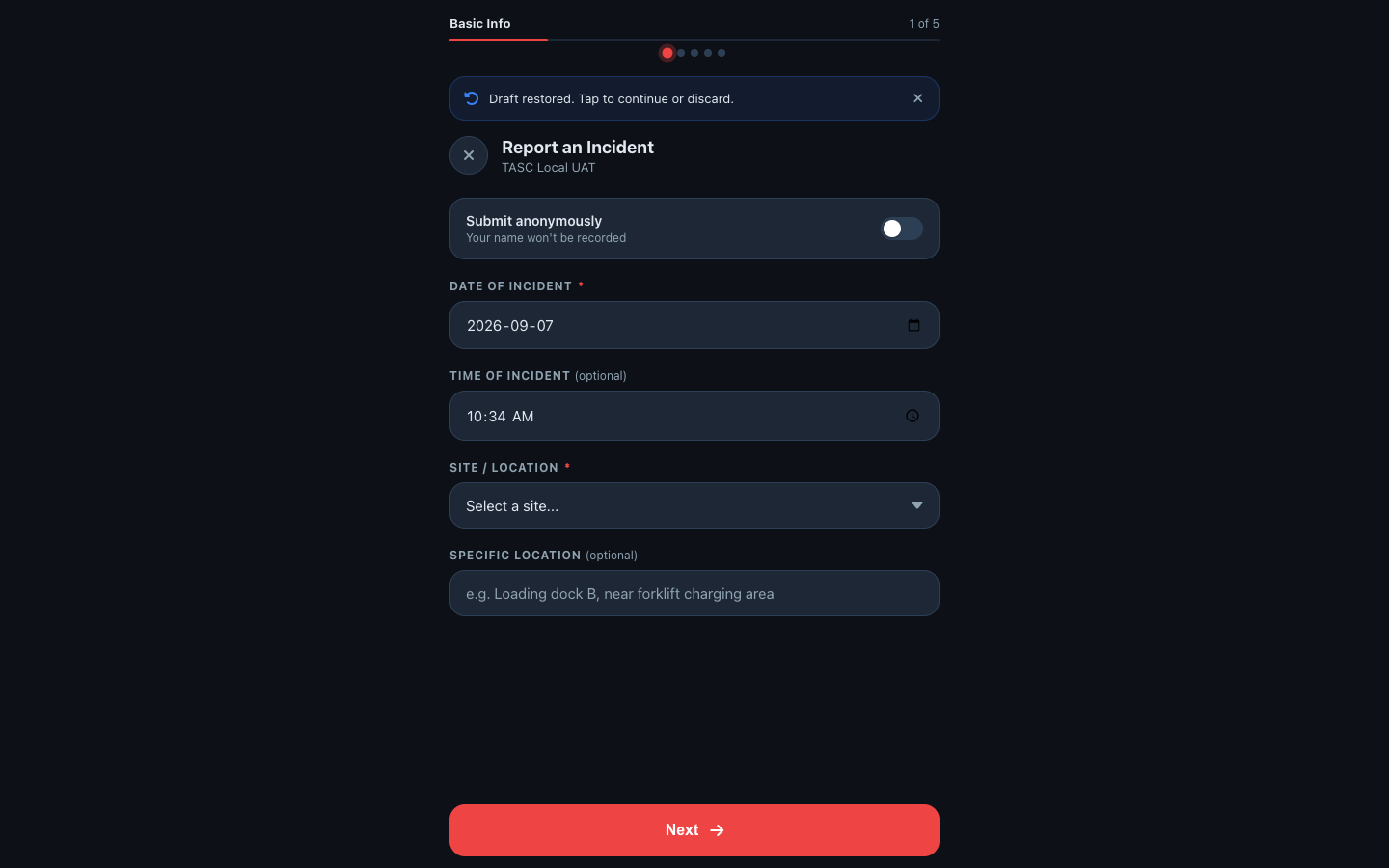
Incident and near-miss reporting with structured investigations, automatic notifications, and root cause workflows.
Available
TASC Act
Corrective action tracking and closure. Assign, track, escalate, and close actions with a recorded audit trail.
Available
TASC Docs
Procedures and version-controlled policies. The right document to the right worker at the right moment.
Available
TASC Learn
Training completion and competency management. Review recorded qualifications, expiries, and upcoming due dates.
Available
TASC Vision
AI-assisted certificate and image review. Extracted details and visual findings must be checked before they are relied on.
Available
TASC Assure
Control assurance & verification. Structured audit programs, evidence capture, scoring, and corrective action tracking — from field to boardroom.
Available
TASC Assets
Asset and equipment management. Condition tracking, maintenance records, QR field access.
Available
TASC Permits
Work permit issuance and management. Digital permits with role-based approvals and automatic expiry.
Coming Soon
TASC Field
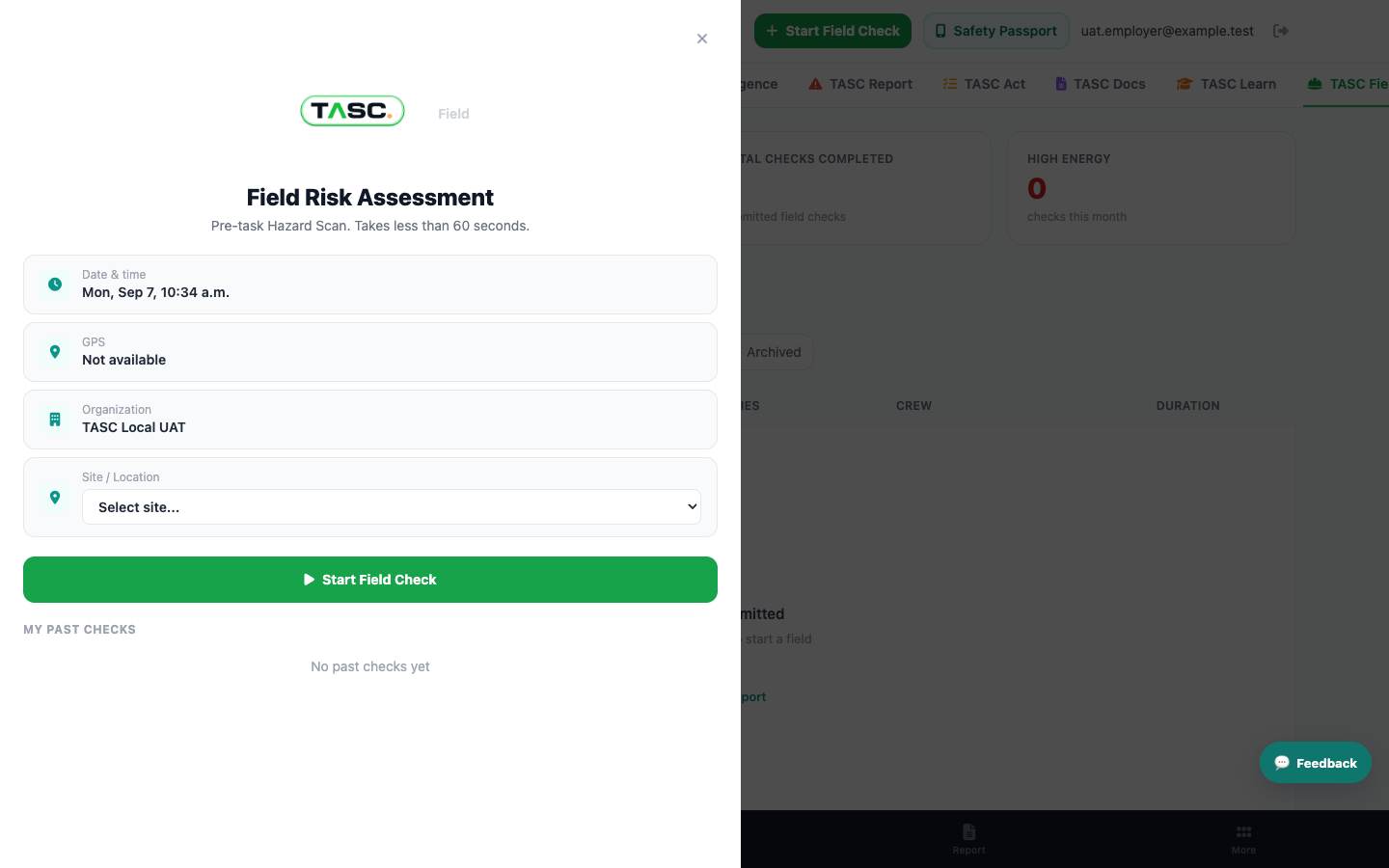
Field-level risk-assessment workflows support on-site hazard review before work begins on compatible mobile devices.
Available
BUILT FOR SAFETY-CRITICAL INDUSTRIES
Built for the People Who
Keep Workers Safe
TASC was designed for industrial safety with mobile-first workflows, configurable access, and worker participation in mind.
Worker-Participation Design
Designed for transparent, proportionate use with worker participation. Data visibility varies by workflow, sharing choice, organization settings, and assigned permissions.
Privacy-Aware Architecture
Anonymous and identified workflows are clearly distinguished. Customers must configure access, provide required notices, and use TASC data lawfully and fairly.
Mobile-Native
Selected worker workflows run in supported mobile browsers using QR access. Sign-in, device support, and app requirements vary by workflow.
Enterprise-Ready
Role-based access, audit records, exports, APIs, and configured identity options support customer security reviews. Availability depends on plan and configuration.
See QR Check-Ins in Action
FOR WORKERS
$0
Connected worker profiles are unlimited with an active organization plan.
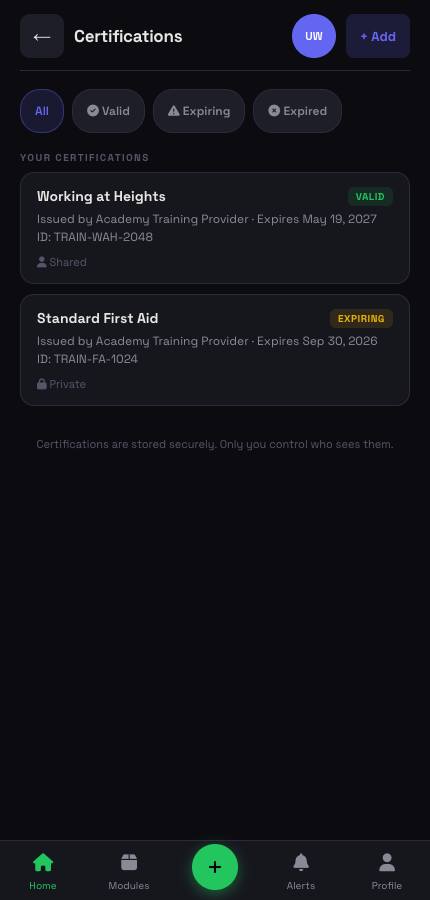
  • Your own Digital Safety Passport — available across participating TASC-enabled organizations
  • Complete a non-diagnostic readiness check with a QR scan
  • Access safety documents before you start the job
  • Report hazards and near misses from a supported phone
  • Request an export or deletion, subject to applicable retention and legal requirements
  • Selected workflows require no app download and work in supported mobile browsers
  • Request an export or use supported sharing options when changing jobs
  • Verification options for eligible records — integrity status is shown when anchoring is active
Get Your Digital Safety Passport
Your Safety Passport
At a participating TASC-enabled site, scan the QR code to open the configured check-in, readiness, or document workflow. Available actions depend on the site and your permissions.
Create My Passport →
FOR EMPLOYERS
One Platform. Connected Sites. Appropriate Visibility.
TASC connects workforce readiness information, AI-assisted hazard review, and an SII dashboard across configured sites — starting at CAD $39/month.
See All 12 Modules →
Workforce Readiness Trends
Review organization-level trends across configured sites and shifts. Individual information is shown only where the workflow, permissions, sharing settings, and applicable notices allow it.
AI-Assisted Hazard Review
Upload a worksite photo and TASC Vision helps organize visible hazards, PPE, equipment, and energy sources for review. AI findings can be incomplete or incorrect.
All 12 Modules, One Platform
Readiness checks, observations, incident reporting, corrective actions, training records, culture surveys, and AI briefings — unified in a single command center.
Safety Intelligence Dashboard
The Safety Intelligence Index updates as connected records synchronize. Review contributing signals and data coverage before drawing conclusions.
Organization Plans from CAD $39/mo
Start with one site and 10 authenticated users. Connected worker profiles are unlimited and do not consume user or administrator capacity.
Guided Initial Setup
Configure an initial site and selected QR workflows through the browser. Timing and implementation needs depend on identity, data, training, governance, and customer configuration.
Start Free Trial
FOR UNIONS
Designed for Joint, Transparent Implementation.
TASC supports implementation with worker and union participation, clear data-use rules, appropriate human review, and documented access controls.
Privacy-Aware by Design
Data visibility depends on the workflow, worker sharing choices where available, organization settings, and assigned permissions. Anonymous workflows are identified separately.
Unlimited Connected Workers
Connect worker profiles without per-worker fees. Connected workers are non-users with access limited to their Safety Passport experience.
Readiness Decision Support
Readiness checks are non-diagnostic and do not test for drugs, alcohol, disability, or medical conditions. They must not be used as the sole basis for an employment decision.
Worker Safety Passport
Workers can maintain a Digital Safety Passport and request an export or deletion. Access, portability, and deletion remain subject to account status, applicable law, and legitimate retention requirements.
Joint Implementation Available
Customers can include worker and union representatives in configuration, impact assessment, communications, training, and governance before rollout.
Confidential Reporting Options
Some workflows allow a worker to withhold their name from a report. TASC may retain limited security and routing metadata, and the organization remains responsible for confidentiality and anti-retaliation practices.
Start Free Trial
PRICING
Simple, Transparent Pricing
Choose the authenticated-user, administrator, and site capacity your organization needs. Connected worker profiles are unlimited on every plan. All prices shown are in Canadian dollars (CAD) and exclude applicable taxes.
Starter
$39/mo
For small operations getting started with digital safety management.
Includes
  • 1 admin account included
  • Up to 10 users
  • Unlimited connected worker profiles
  • 1 active site
  • Generally available modules included
  • TASC Command + TASC Assist
  • AI briefings & SII scoring
Start Free Trial
Business
$249/mo
For established teams managing larger operations and multi-site safety programs.
Everything in Professional, plus
  • 1 admin account included
  • Up to 50 users
  • Unlimited connected worker profiles
  • 5 active sites
  • Generally available modules included
  • Role-based access control
  • Data export & audit logs
  • Early access to new modules
Start Free Trial →
ENTERPRISE CONTRACT PRICING

TASC Enterprise Core

CAD $2,500/month
Monthly billing under an annual enterprise agreement.

Built for organization-wide safety management across hundreds or thousands of active sites.

INCLUDED IN ENTERPRISE CORE
  • First 400 active sites
  • First 1,000 organization users
  • 2 admin accounts
  • Unlimited connected worker profiles
  • Generally available TASC modules
  • Enterprise site hierarchy and centralized oversight
  • Role-based access control
  • Data export and audit logs

Managing more than 400 active sites or planning a large organization-wide rollout? Enterprise Core provides contract pricing designed for scale.

Implementation, custom integrations, premium support, SMS services, and usage-based AI or VisionScan services may be priced separately.

Capacity Add-Ons
Generally available modules are included according to the selected plan. Expand organization-user or site capacity as needed.
Additional User Packs
1 user
Add one authenticated organization user
$5/mo
$5.00/user
10-pack
Add 10 authenticated organization users
$45/mo
$4.50/user
25-pack
Add 25 authenticated organization users
$100/mo
$4.00/user
50-pack
Add 50 authenticated organization users
$175/mo
$3.50/user
100-pack
Add 100 authenticated organization users
$300/mo
$3.00/user

Users are authenticated organization accounts with assigned platform access. Connected workers are non-users with Safety Passport-only access; under the displayed plans, their profiles are unlimited and do not consume user or administrator capacity.

1,000+ organization users
ENTERPRISE USER PRICING

Enterprise Core includes the first 1,000 organization users. Additional organization users receive graduated contract pricing.

Organization-user level Rate
First 1,000 organization users Included in Enterprise Core
Organization users 1,001–5,000 $0.40/user/month
Organization users 5,001–10,000 $0.30/user/month
Organization users 10,001+ $0.20/user/month

Rates are graduated and apply only to organization users within each level. Entering a new level does not reprice users in earlier levels. Available under an Enterprise Core agreement.

Site Packs & Admins
1 additional site
Expand beyond your plan's site limit
$15/mo
$15.00/site
5-site pack
Add 5 sites at a discount
$50/mo
$10.00/site
10-site pack
Add 10 sites at a discount
$80/mo
$8.00/site
25-site pack
Add 25 sites at a discount
$175/mo
$7.00/site
Extra admin account
Each plan includes 1 admin. Add more as needed.
$25/mo
All plans
400+ active sites
ENTERPRISE SITE PRICING

Volume pricing for organizations with hundreds or thousands of active sites

Site packs cover self-service growth up to the limit included with your plan. Beyond 400 active sites, organizations move to Enterprise Core contract pricing.

Enterprise Core includes the first 400 active sites. Additional active sites receive graduated contract pricing.

Active-site level Rate
First 400 active sites Included in Enterprise Core
Active sites 401–1,000 $3.00/site/month
Active sites 1,001–5,000 $1.50/site/month
Active sites 5,001+ $0.50/site/month

Rates are graduated and apply only to active sites within each level. Available under an Enterprise Core agreement.

Graduated pricing is not retroactive — entering a new level does not reprice sites in earlier levels.

  • Annual Enterprise Agreement
  • Active operating sites only
  • Capacity above the user and site allowances included in Enterprise Core is priced separately under the applicable graduated schedules
Pricing depends on active-site volume, rollout schedule, integrations, support, and agreement term. Not a quote.

Site packs are stackable and expand the active-site allowance included with your plan.

Premium Add-On
Configured SMS Alerts
Optional text notifications for configured safety events. Requires an approved messaging integration, recipient authority or consent, and applicable usage charges.
$25/mo
All plans

Ready to know your SII Score?

Set up your first site and trial the available modules. Connected worker profiles are unlimited with an active organization plan.